
Google Business Profile Optimization Checklist for 2026
Use this Google Business Profile optimization checklist to improve your local visibility, strengthen your profile, attract more customers, and avoid common mistakes.
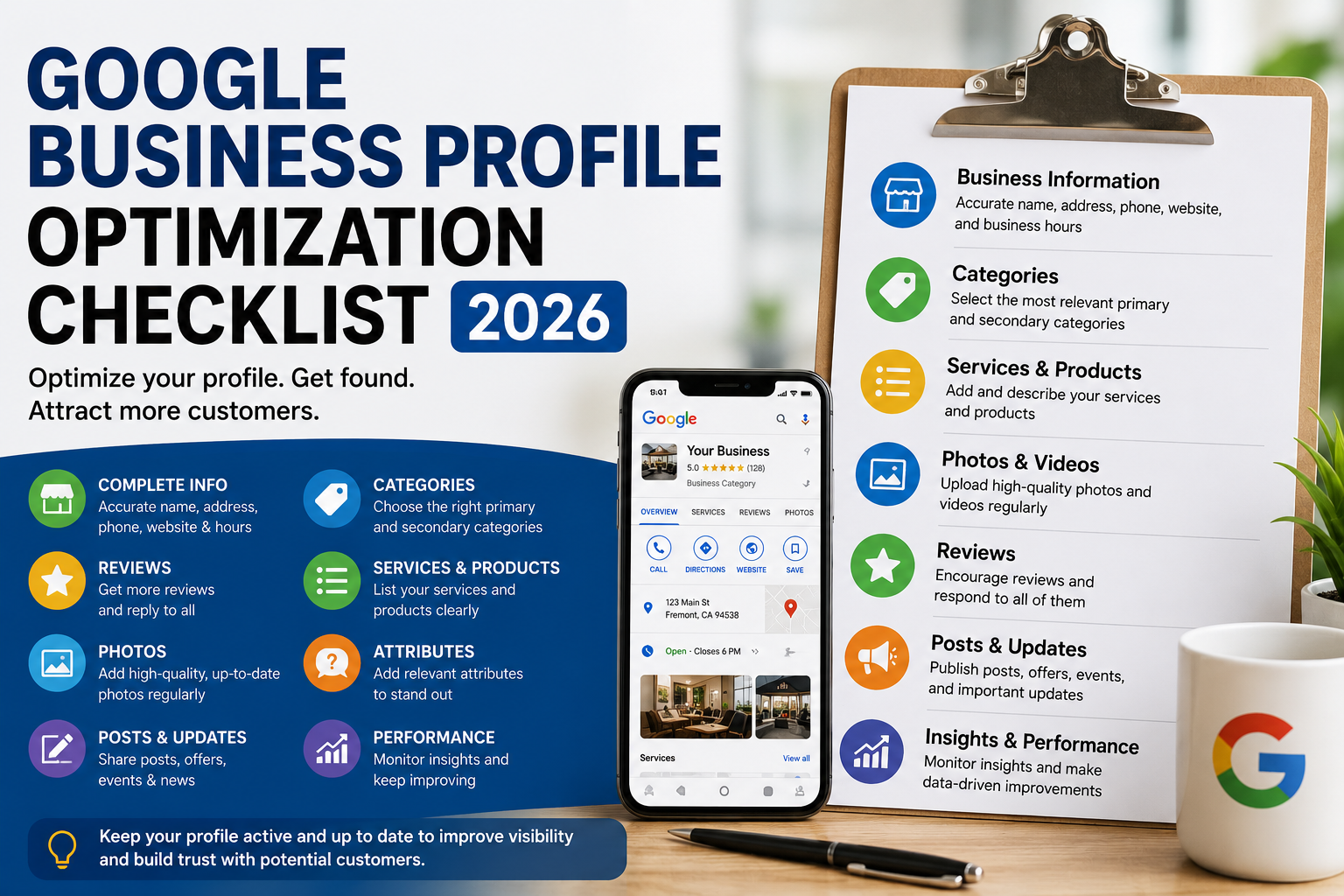
Your Google Business Profile is often one of the first things potential customers see when they search for your business — or for the services you provide.
For local businesses, an optimized profile can help you appear more prominently across Google Search and Maps.
Google itself says businesses with complete and accurate information are more likely to appear in relevant local search results. Local rankings are mainly based on relevance, distance, and prominence.
Use this checklist to make sure your Google Business Profile is working as hard as it should.
Google Business Profile Optimization Checklist
1. Verify Your Google Business Profile
- Make sure your profile is verified
- Confirm the correct owner has access
- Remove access for former employees or agencies you no longer work with
Verification confirms that you're authorized to represent the business and gives you access to manage the profile properly. Google specifically recommends verification as part of improving local visibility.
2. Use Your Real Business Name
- Use the exact name customers see on your storefront and website
- Keep naming consistent across your website and other business listings
- Do not add unnecessary keywords to the business name
For example, if your company is officially called:
Casey's Beauty Studio
don't change it to:
Casey's Beauty Studio – Best Permanent Makeup Microblading Fremont
just because you want to rank for those keywords.
Google's guidelines state that the Business Profile name should reflect the business's real-world name. Adding unnecessary information can violate Google's guidelines and potentially lead to profile restrictions.
3. Choose the Best Primary Category
- Select the category that most accurately represents your main business
- Be as specific as possible
- Don't choose categories simply because they contain keywords you want to rank for
For example:
Instead of:
Salon
Google recommends choosing a more specific option such as:
Nail Salon
when that accurately describes the business.
Your primary category can have a meaningful impact on which searches Google considers your business relevant for.
4. Add Relevant Secondary Categories
- Add additional categories that accurately describe the business
- Don't add every remotely related category
- Review your categories periodically
Google recommends using as few categories as needed to accurately describe your overall business rather than treating categories like keywords.
Think:
What IS this business?
rather than:
What does this business happen to offer?
5. Check Your Address
For storefront businesses:
- Confirm your street address is correct
- Check suite or unit numbers
- Make sure your map pin is accurate
For service-area businesses:
- Check the areas you genuinely serve
- Don't claim locations you don't actually operate in
Google emphasizes that business address and service-area information should be accurate and precise.
Incorrect location information doesn't just hurt customers — it can create problems with your profile.
6. Update Your Business Hours
- Add your normal opening hours
- Check opening and closing times
- Add holiday hours
- Add special hours when needed
- Update seasonal hours
Few things frustrate customers faster than driving to a business that Google says is open only to find the doors locked.
Google specifically recommends keeping regular and special hours current.
7. Add the Correct Phone Number
- Use a phone number customers can actually reach
- Test the number
- Make sure calls are being answered or routed correctly
If someone finds you through Google, calling should be effortless.
Don't make interested customers hunt for a working number.
8. Add Your Website
- Link to your official website
- Make sure the URL works
- Send customers to the most relevant page when appropriate
Your website helps Google and customers better understand your business.
It should clearly explain:
- What you offer
- Where you're located
- Who you serve
- How customers can contact or book with you
Google also gathers business information from multiple sources, including business websites and information available across the web.
9. Write a Strong Business Description
- Clearly explain what your business does
- Mention your most important services naturally
- Explain what makes the business different
- Keep the description useful for customers
Don't keyword-stuff it.
Your description should sound like something written for a person.
Google recommends using the description to provide useful information about your services, products, mission, and business history. It also prohibits using the description primarily for promotions, prices, or links.
10. Add Your Services
- List your major services
- Use clear service names
- Add useful descriptions where available
- Review the list when you introduce new services
If you're a salon, don't make customers guess whether you offer:
Balayage
Hair Extensions
Keratin Treatments
Women's Haircuts
The more accurately your profile describes what you do, the easier it is for customers to determine whether you're the business they're looking for.
11. Add Products When Relevant
For businesses selling products:
- Add popular products
- Use clear product names
- Upload good photos
- Add accurate descriptions
- Keep availability current when possible
Your Google profile should help a customer understand what they can actually buy from you.
12. Add Useful Business Attributes
Depending on your business category, Google may let you add attributes such as:
- Accessibility information
- Parking
- Wi-Fi
- Service options
- Amenities
- Payment options
- Complete all relevant attributes
- Don't select attributes that aren't accurate
Google specifically recommends keeping these additional details complete because they help customers understand the business.
13. Upload a Good Logo
- Upload your current logo
- Make sure it is clear and recognizable
- Avoid outdated branding
Google can display your logo prominently on your Business Profile when your basic business information is complete.
14. Add a Strong Cover Photo
- Upload a photo that represents the business well
- Use a clear, well-lit image
- Avoid excessive filters
Google allows businesses to select a cover photo, although choosing one doesn't guarantee that Google will always display it as the first image.
15. Add Real Photos Regularly
Upload photos of:
- Your storefront
- Interior
- Team
- Products
- Services
- Finished work
- Customer experience
- Menu items, when relevant
- Before-and-after work, when appropriate
Google recommends images that are clear, well lit, and representative of reality rather than heavily altered. Its current guidance recommends a resolution of around 720 × 720 pixels or higher, with a minimum of 250 × 250.
Google also specifically recommends multiple exterior and interior images for businesses where those photos are relevant.
16. Keep Getting Google Reviews
- Ask satisfied customers for reviews
- Make review requests part of your normal process
- Use a direct review link or QR code
- Keep reviews coming consistently
Don't wait until you haven't received a review in six months.
Recent, genuine customer feedback helps potential customers evaluate your business.
Google also states that positive reviews can contribute to local prominence.
17. Respond to Your Reviews
- Respond to positive reviews
- Respond professionally to negative reviews
- Avoid arguing with customers
- Personalize responses where possible
Google specifically encourages businesses to respond to reviews, noting that thoughtful responses show customers that you value their feedback.
Remember:
You're not only responding to the person who wrote the review.
You're also writing for everyone who reads that review later.
18. Publish Google Business Profile Posts
- Share business updates
- Promote events
- Post important announcements
- Publish offers when appropriate
- Include photos or video
- Add relevant call-to-action buttons
Google currently supports Business Profile posts for updates, offers, and events. These posts can appear in Google Search and Maps.
Be aware that ordinary posts may be archived after six months unless you've set a specific date range.
19. Add Booking or Action Links
If your business accepts appointments or reservations:
- Add your booking link
- Test it
- Make sure the booking experience works on mobile
Depending on the business category, Google Business Profiles can help customers take actions directly after finding the business.
Every unnecessary step between:
“I want this”
and
“I'm booked”
increases the chance that the customer leaves.
20. Keep Your Website Consistent With Your Google Profile
Check that your website and Google Business Profile agree on:
- Business name
- Address
- Phone number
- Services
- Hours
- Location
- Business type
Google builds business information using several sources, including information provided by the business, websites, users, and other public sources.
Consistency makes it easier for both customers and search engines to understand your business.
21. Don't Create Duplicate Profiles
- Search Google Maps for duplicate versions of your business
- Resolve old or duplicate profiles where appropriate
- Make sure each legitimate location is represented correctly
Google generally recommends having one Business Profile per business location because duplicates can create problems with how your information appears in Search and Maps.
22. Check Your Profile Every Week
Google Business Profile isn't something you should optimize once and forget.
Every week, check:
- New reviews
- Incorrect information
- Hours
- Photos
- New customer questions
- Services
- Offers
- Posts
- Profile performance
Even five or ten minutes a week can help prevent an outdated profile from slowly becoming less useful.
What Actually Helps a Google Business Profile Rank?
There is no secret button that guarantees the number-one position.
Google says local results are primarily determined using:
Relevance
How closely your business matches what the person searched for.
Distance
How far your business is from the person or location included in the search.
Prominence
How well-known or established Google considers the business.
Prominence can be influenced by information Google finds around the web as well as reviews and links.
That's why Google Business Profile optimization shouldn't happen in isolation.
Your profile, website, local SEO, reviews, and broader online presence should all support each other.
The Biggest Google Business Profile Mistake
The biggest mistake isn't forgetting some secret SEO trick.
It's neglect.
The phone number changes but Google doesn't.
Holiday hours aren't updated.
The last photo was uploaded two years ago.
Reviews go unanswered.
New services aren't added.
The website changes but the profile doesn't.
Meanwhile, your competitor continues improving theirs.
Google Business Profile optimization is largely about making sure Google and potential customers always have accurate, useful, current information about your business.
That's the foundation.
Need Help Managing Your Google Business Profile?
Keeping your Google Business Profile optimized takes ongoing work — especially when you're already running the business.
YupUp helps small and local businesses manage their Google presence, including profile information, updates, photos, reviews, and ongoing optimization.
With Orbit by YupUp, the goal isn't just to set up your profile once.
It's to keep the marketing work moving consistently.
You run the business. YupUp helps keep you visible.
Need a review and local marketing system?
YupUp helps independent businesses manage reviews, local visibility, and customer follow-up with AI-assisted workflows.
Get a free growth review